
📣 Messages & campaigns
Follow a campaign and see results
While a campaign runs, you see every message as it goes out. When it ends, open a report or save the results.
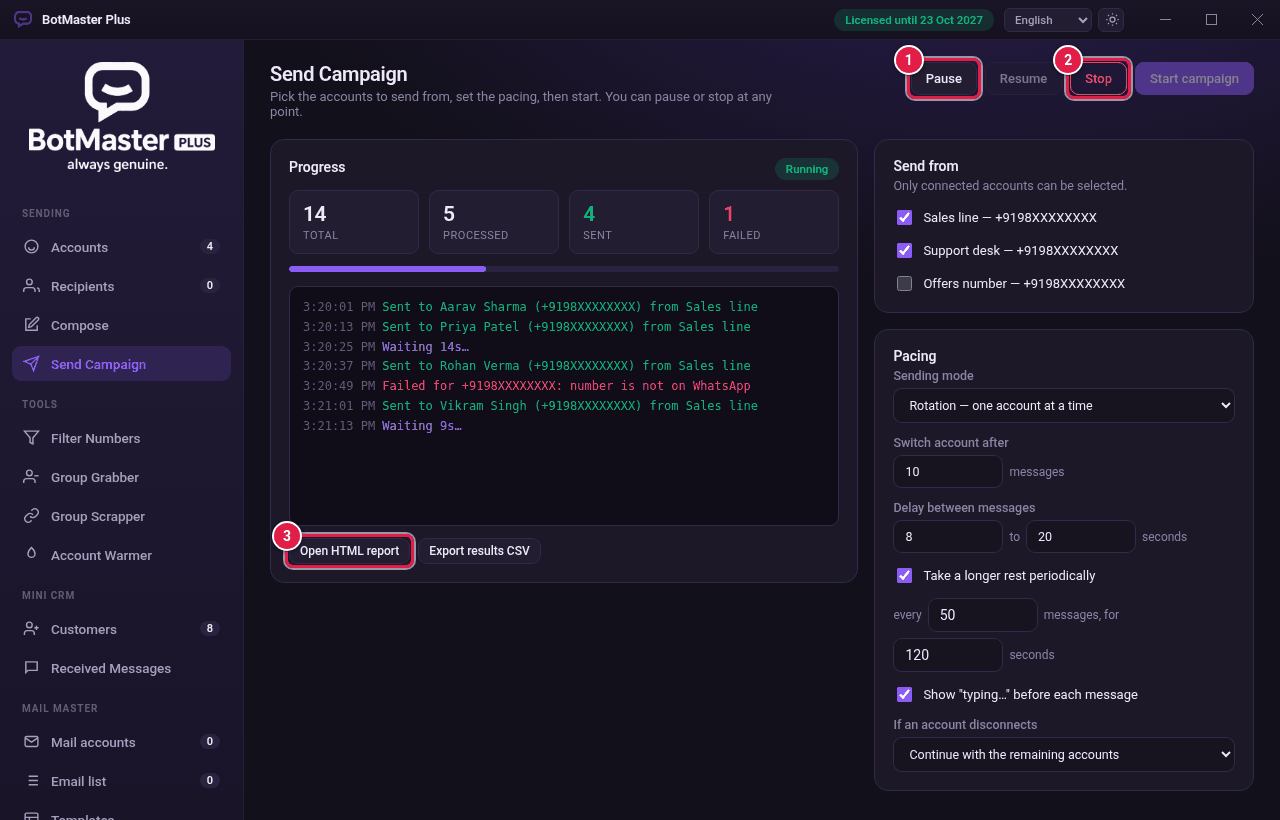
Read the progress
| Box | What it means |
|---|---|
| Total | Number of recipients in the campaign. |
| Processed | How many have been tried so far. |
| Sent | Messages that went out. |
| Failed | Messages that did not go, for example the number is not on WhatsApp. |
The log below shows each message with the time, the person and the account that sent it.
Pause, resume or stop
- Click Pause to take a break. Nothing is lost.
- Click Resume to carry on from where it stopped.
- Click Stop to end the campaign.
Get the results
- Click Open HTML report to see a full report in your browser.
- Click Export results CSV to save the results as a spreadsheet file.