
🧰 Growth tools
Check which numbers use WhatsApp
Filter Numbers checks a list of numbers and tells you which ones have WhatsApp, and which are business accounts. Send only to real WhatsApp numbers and fewer messages fail.
Load the numbers
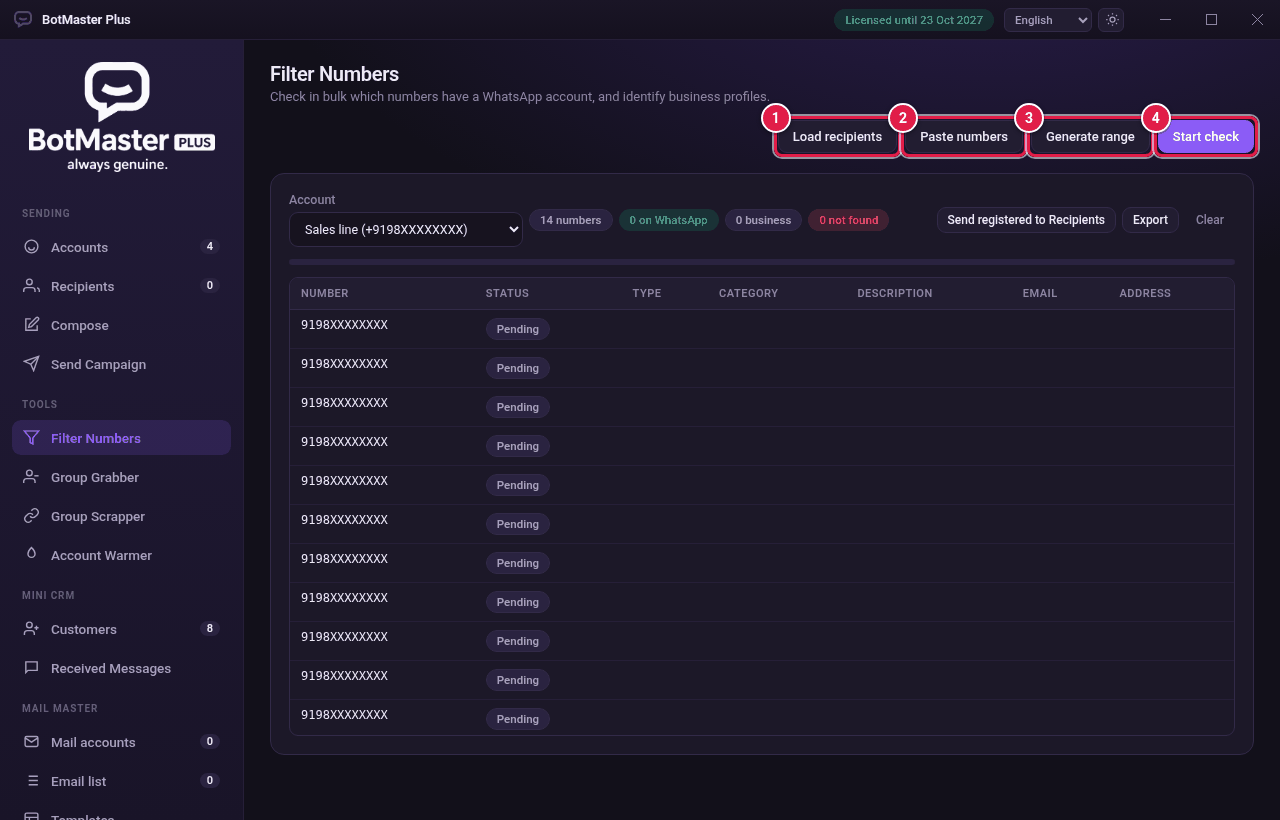
- Click Filter Numbers in the left menu.
- In Account, choose a connected account to do the check.
- Click Load recipients to check your current recipient list. You can also click Paste numbers to paste a list, or Generate range to make numbers in a row.
Make a number range
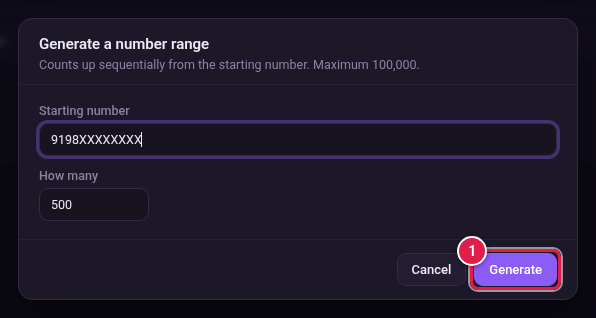
- Click Generate range.
- Type the Starting number with the country code.
- In How many, type how many numbers to make (up to 100,000).
- Click Generate.
Run the check
- Click Start check.
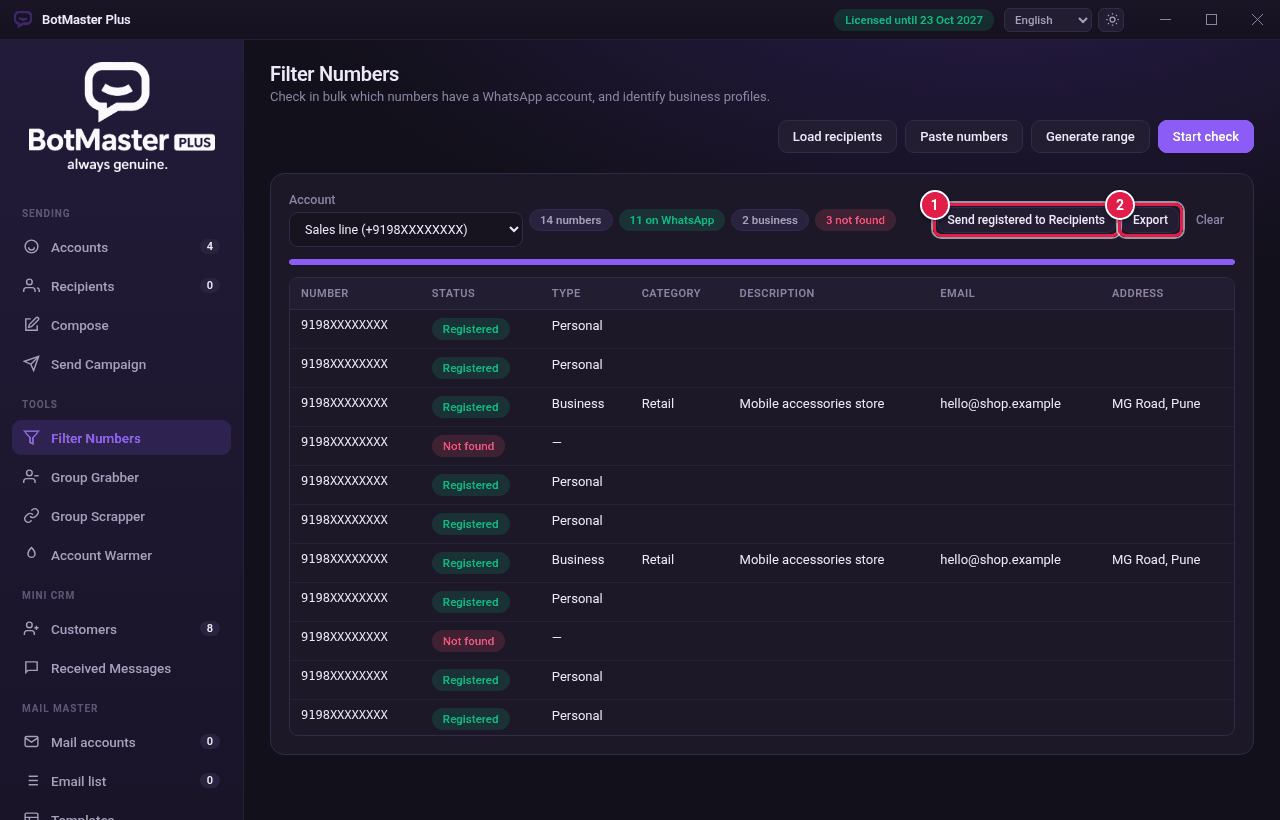
- Wait while each number changes from Pending to Registered or Not found.
Use the results
| Column | What it shows |
|---|---|
| Status | Registered (has WhatsApp) or Not found. |
| Type | Personal or Business. |
| Category, Description, Email, Address | Details from the business profile, when there is one. |
- Click Send registered to Recipients to add only the WhatsApp numbers to your list.
- Click Export to save all results as a file.
- Click Clear to start again.