
💬 Customers & inbox
Keep a customer list (Mini CRM)
Customers is a simple customer list shared by all your accounts. Messages you receive are matched to it automatically, and you can send a campaign to a whole group of customers.
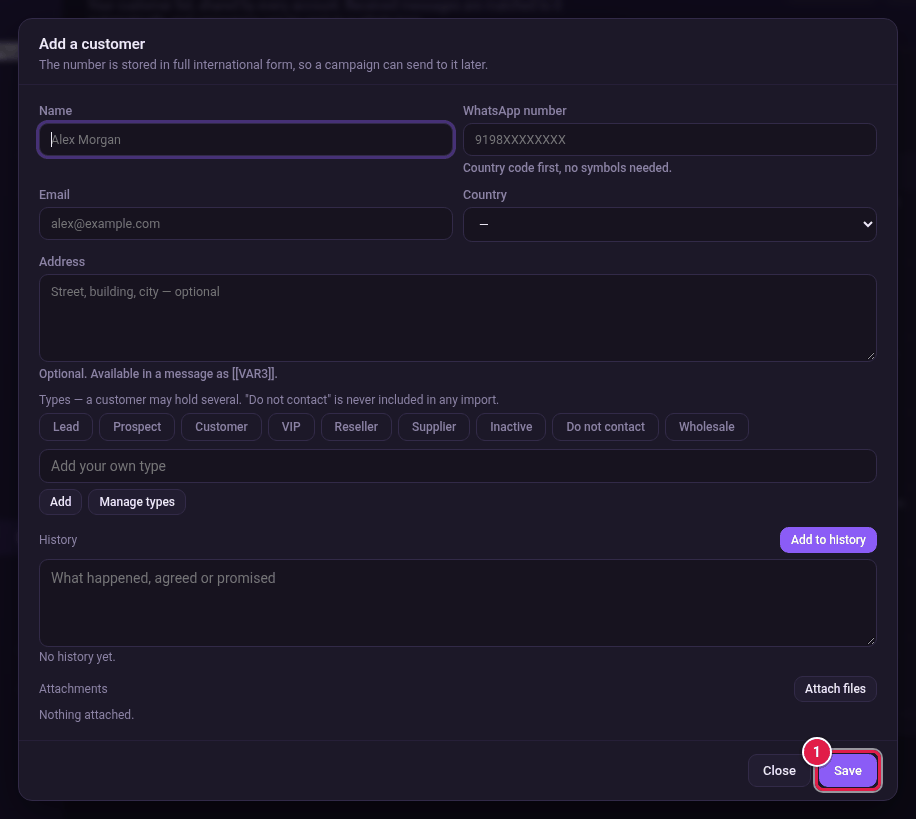
Add a customer
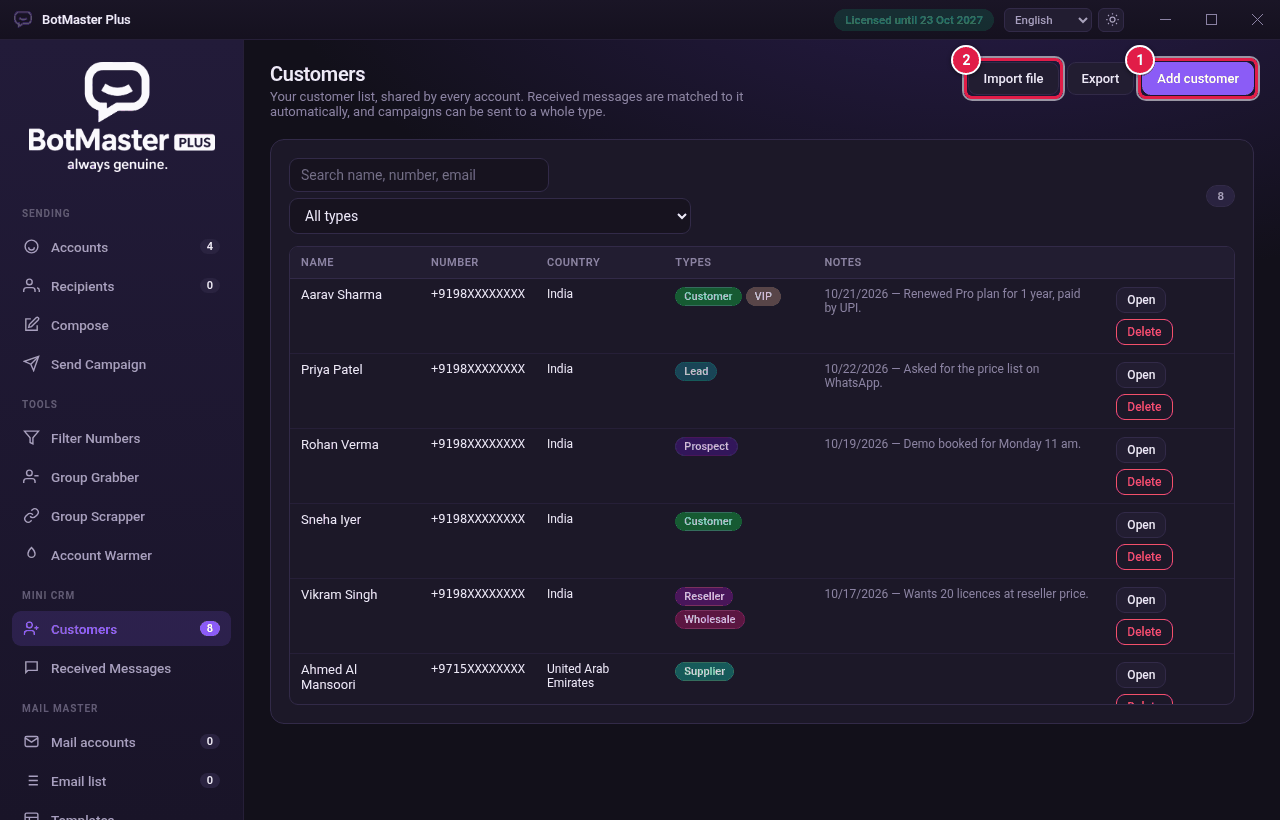
- Click Customers in the left menu.
- Click Add customer.
- Type the Name.
- Type the WhatsApp number, country code first, with no symbols.
- Type the Email and choose the Country if you want.
- Type the Address if you want. You can use it in messages as [[VAR3]].
- Click one or more Types, such as Customer or VIP.
- Click Save.
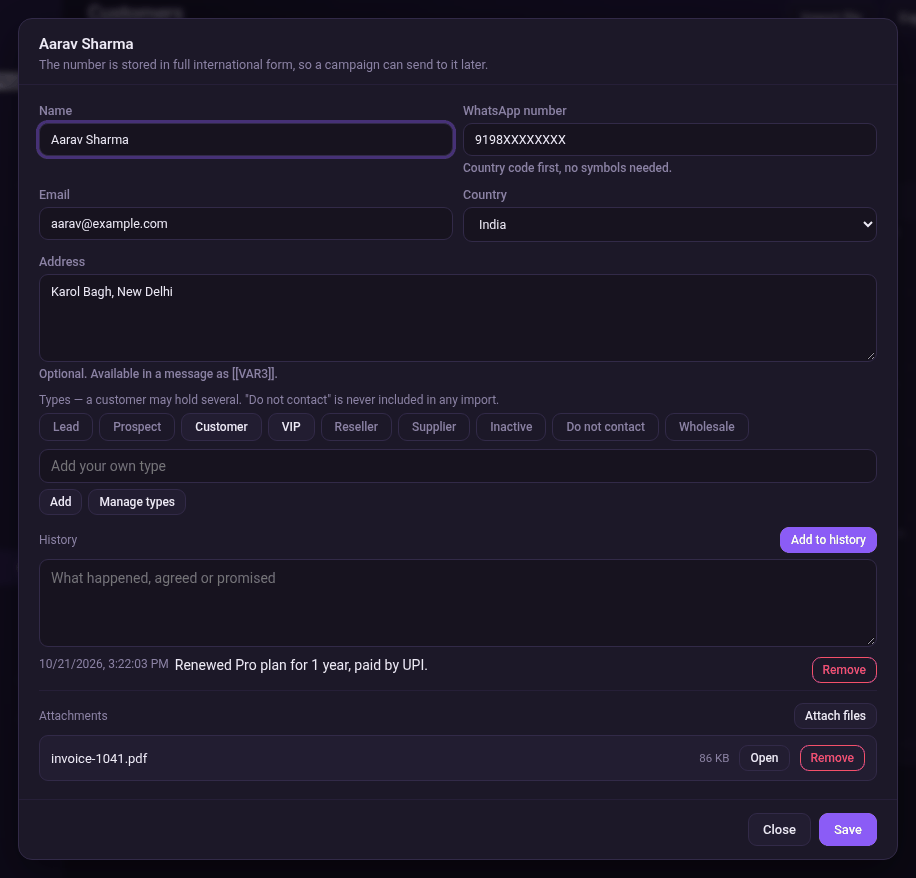
Edit a customer and add notes
- Click Open on the customer's row.
- Change any details you need.
- To note what happened, type it in History and click Add to history. The date and time are added.
- To keep a file, such as an invoice, click Attach files.
- Click Save.
Import or export
- Click Import file and choose a .txt or .csv file with name and number on each line. Imported people get the type Lead.
- Click Export to save your list as a file.
Find customers
- Type in Search name, number, email to find someone.
- Choose a type in the All types list to see only that type.
- To delete a customer, click Delete on their row.