✉️ Mail Master
Email templates
A template is the email itself: the subject and the design. BotMaster Plus comes with ready-made templates, and you can make your own.
Choose templates
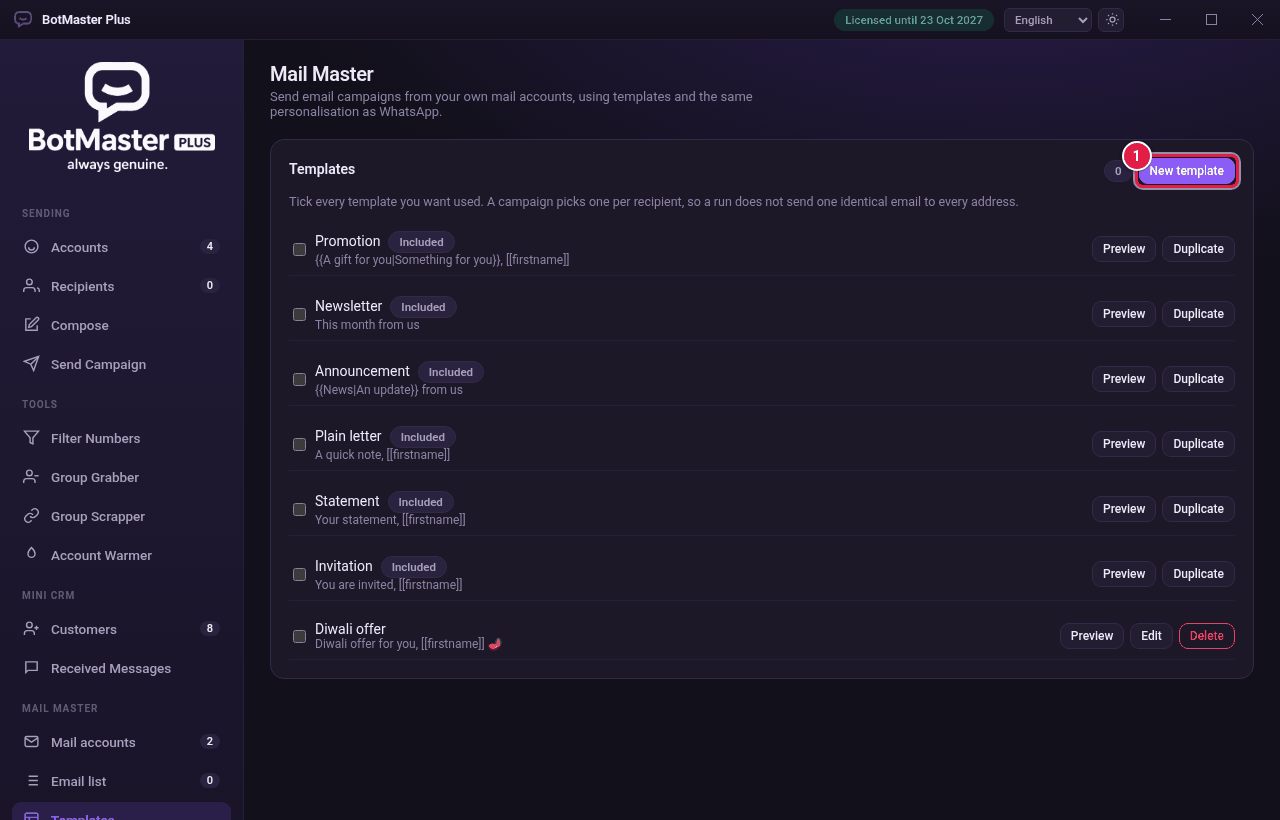
- Click Templates under Mail Master.
- Tick each template you want to use. A campaign picks one at random for each person, so not everyone gets the same email.
- Click Preview to see a template.
Make a new template
- Click New template.
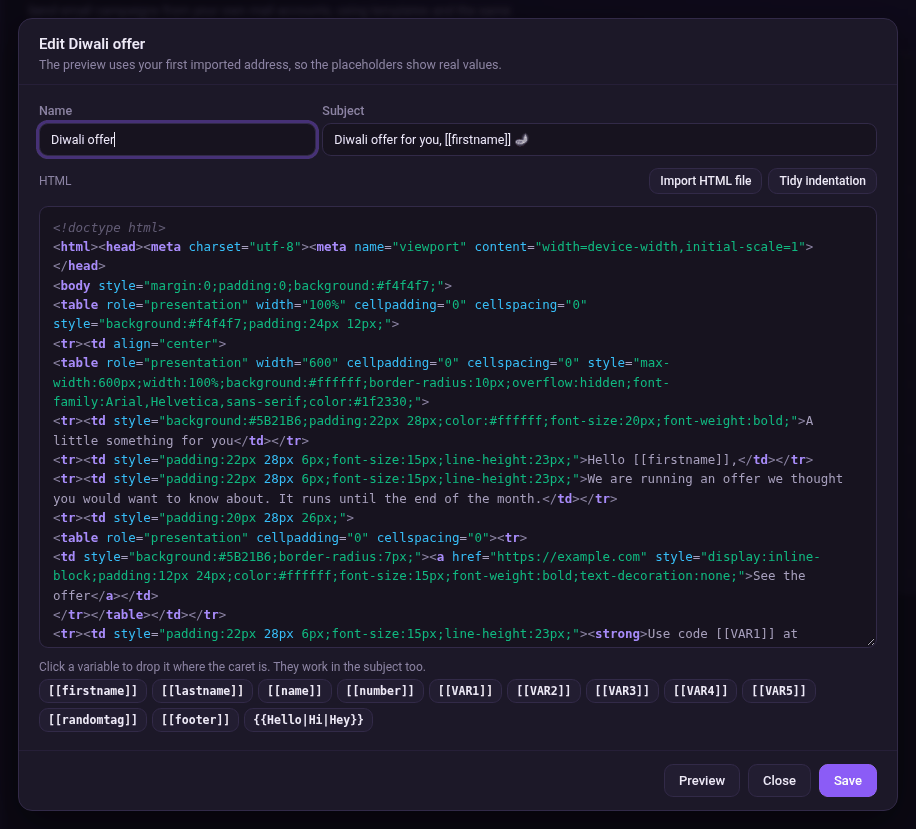
- Type a Name and a Subject. The subject can use placeholders such as [[firstname]].
- Write or paste the email design in HTML. Or click Import HTML file to load one.
- Click a variable below the box, such as [[firstname]] or [[footer]], to drop it in where your cursor is.
- Click Preview to check it.
- Click Save.