
📣 Messages & campaigns
Write your message
Write the message your recipients will get on the Compose page. You can write several versions, and each person gets one of them at random.
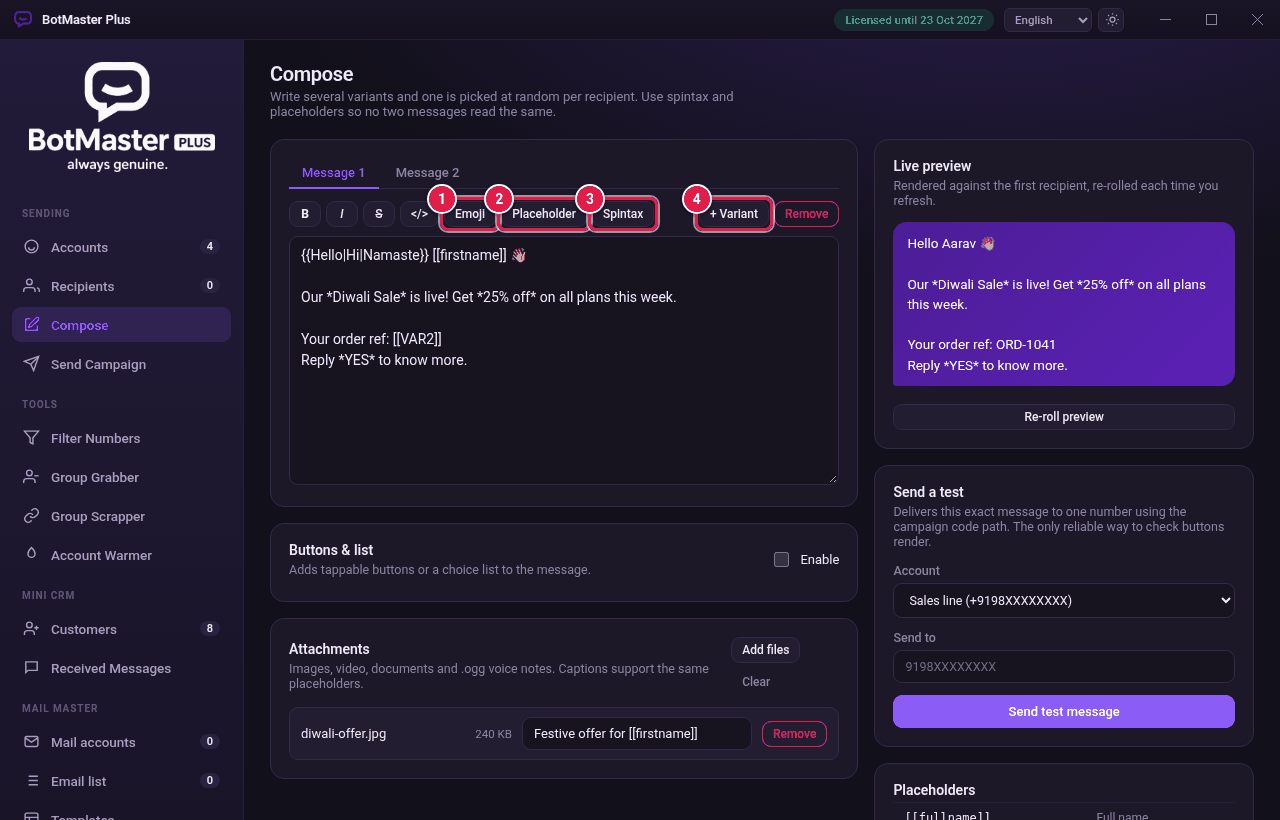
Write the message
- Click Compose in the left menu.
- Type your message in the Message 1 box.
- To style text, select it and click B (bold), I (italic), S (strikethrough) or </> (code).
- Click Emoji to add an emoji.
- Click Placeholder to add the person's name or other details. See Placeholders, spintax and emoji.
- Check the Live preview on the right. It shows the message as the first recipient will see it.
Add more versions
- Click + Variant. A new Message 2 tab appears.
- Write a different version of your message.
- Repeat if you want more versions. To delete the open version, click Remove.