
🧰 Growth tools
Warm up a new number
New WhatsApp numbers that suddenly send many messages get banned fast. Account Warmer makes your own accounts chat with each other at random times, so a new number builds normal activity first.
Start warming
- Click Account Warmer in the left menu.
- Under Accounts, tick the accounts to warm.
- In Message pool, type some everyday messages, one on each line. A random one is used each time.
- In Interval between messages, set the shortest and longest wait in seconds.
- Click Start warming.
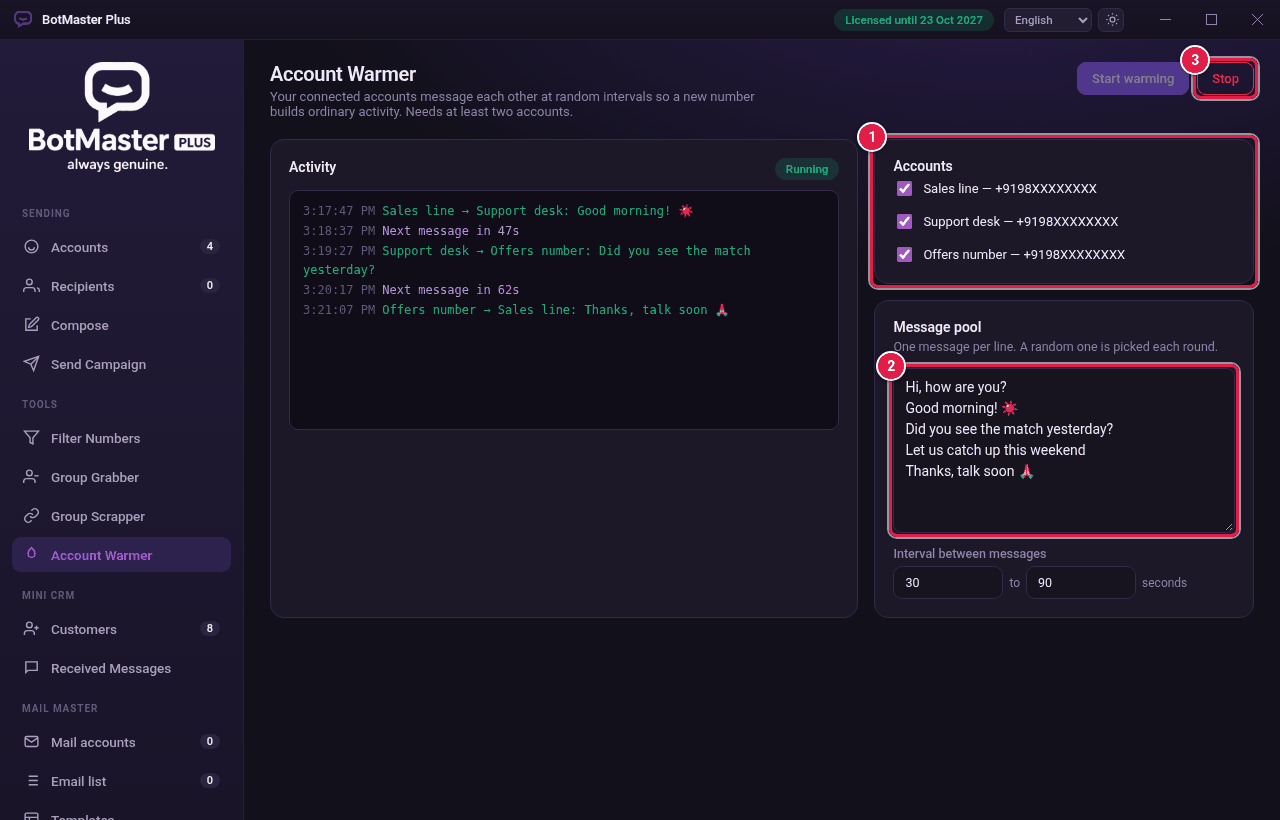
- Watch the Activity log. Click Stop when you are done.