
✅ Official WhatsApp
Templates
Meta only lets you start a conversation with an approved template. See your templates here, and send new ones for approval.
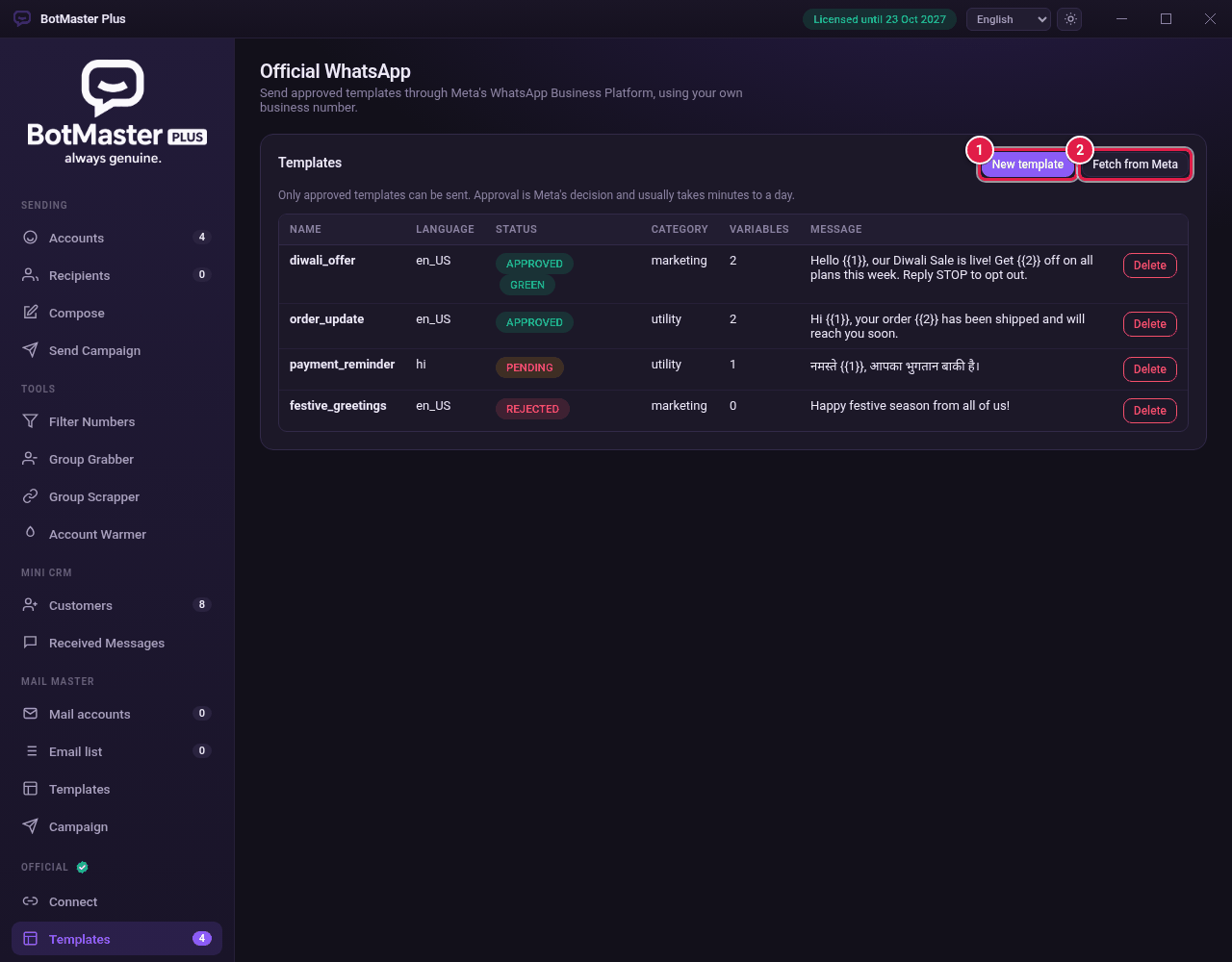
See your templates
- Click Templates under Official.
- Click Fetch from Meta to load the latest list and statuses.
- Check the Status of each one: APPROVED, PENDING or REJECTED.