
✅ Official WhatsApp
Contacts and opt-in
Meta needs a recorded opt-in before you send marketing templates. Keep your Official WhatsApp contacts and their opt-in here.
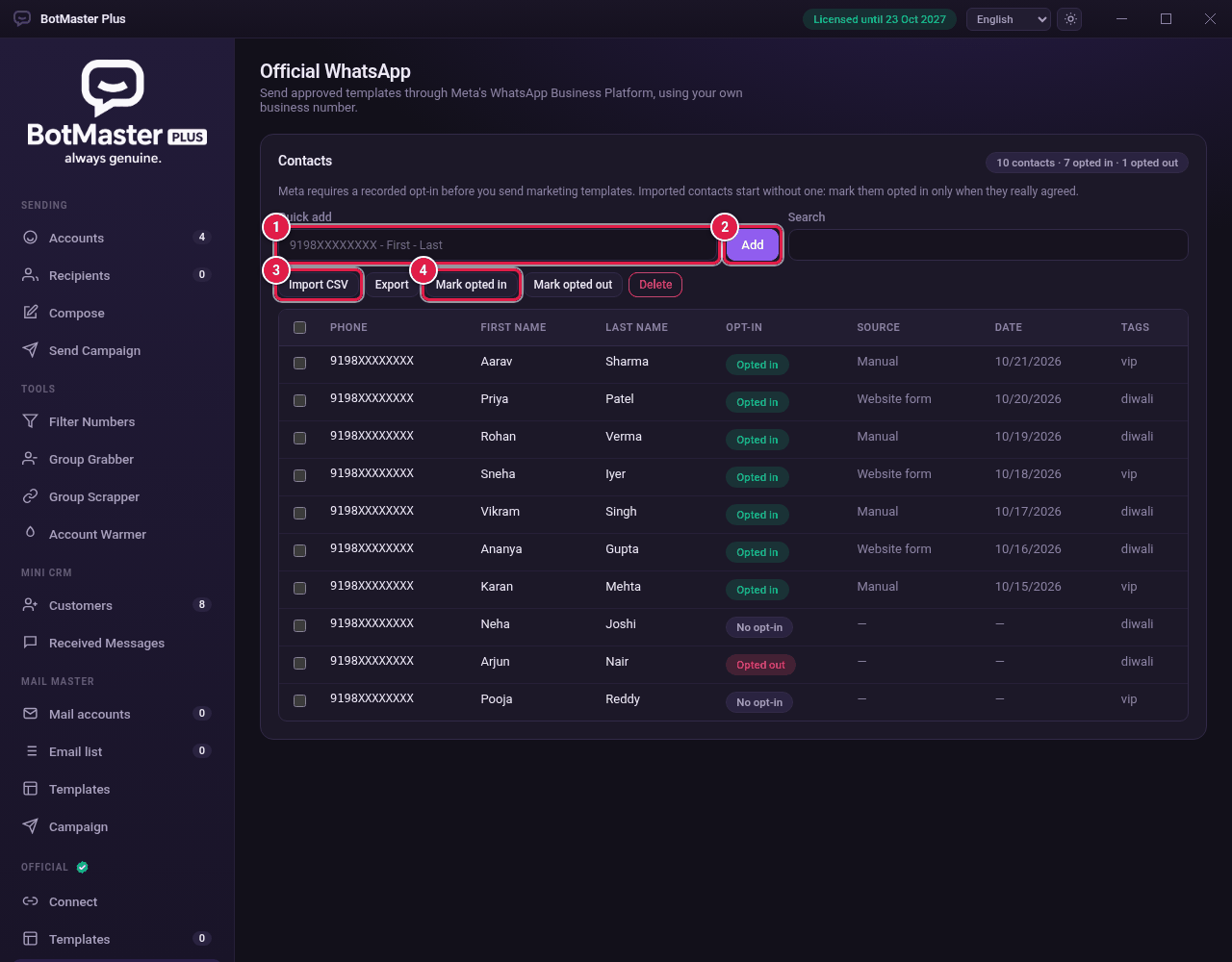
Add contacts
- Click Contacts under Official.
- In Quick add, type the phone number with its country code, then the first and last name, for example 9198XXXXXXXX - Riya - Shah.
- Click Add.
Import contacts
- Click Import CSV.
- Choose a CSV file with these columns: phone, first name, last name, var1, var2, var3, tags.
- Imported contacts start with No opt-in.
Record the opt-in
- Tick the contacts who agreed to get your messages.
- Click Mark opted in.
- If someone asks you to stop, tick them and click Mark opted out.