
🔗 WhatsApp accounts
Let AI answer your messages
Instead of keyword rules, an account can let an AI assistant answer every incoming message. You need your own API key from the AI provider.
Turn on the AI assistant
- On the Accounts page, click Configure on the account.
- Tick Reply automatically to incoming messages.
- Under Reply using, click AI assistant.
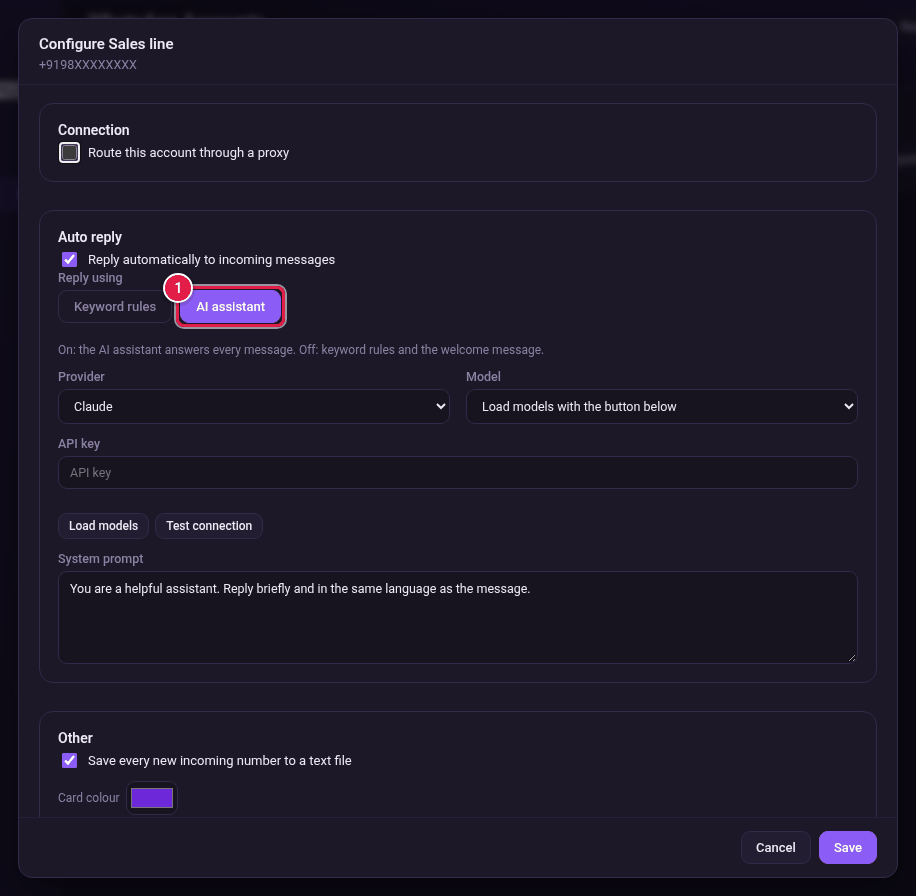
- Choose the Provider.
- Paste your key in API key.
- Click Load models.
- Choose a Model from the list.
- Click Test connection to check the key works.
- In System prompt, tell the AI how to behave. For example: "You answer for our shop. Be brief and friendly."
- Click Save.