
🧰 Growth tools
Get members from your groups
Group Grabber lists the WhatsApp groups an account is in, and pulls out the members' numbers so you can message them one by one.
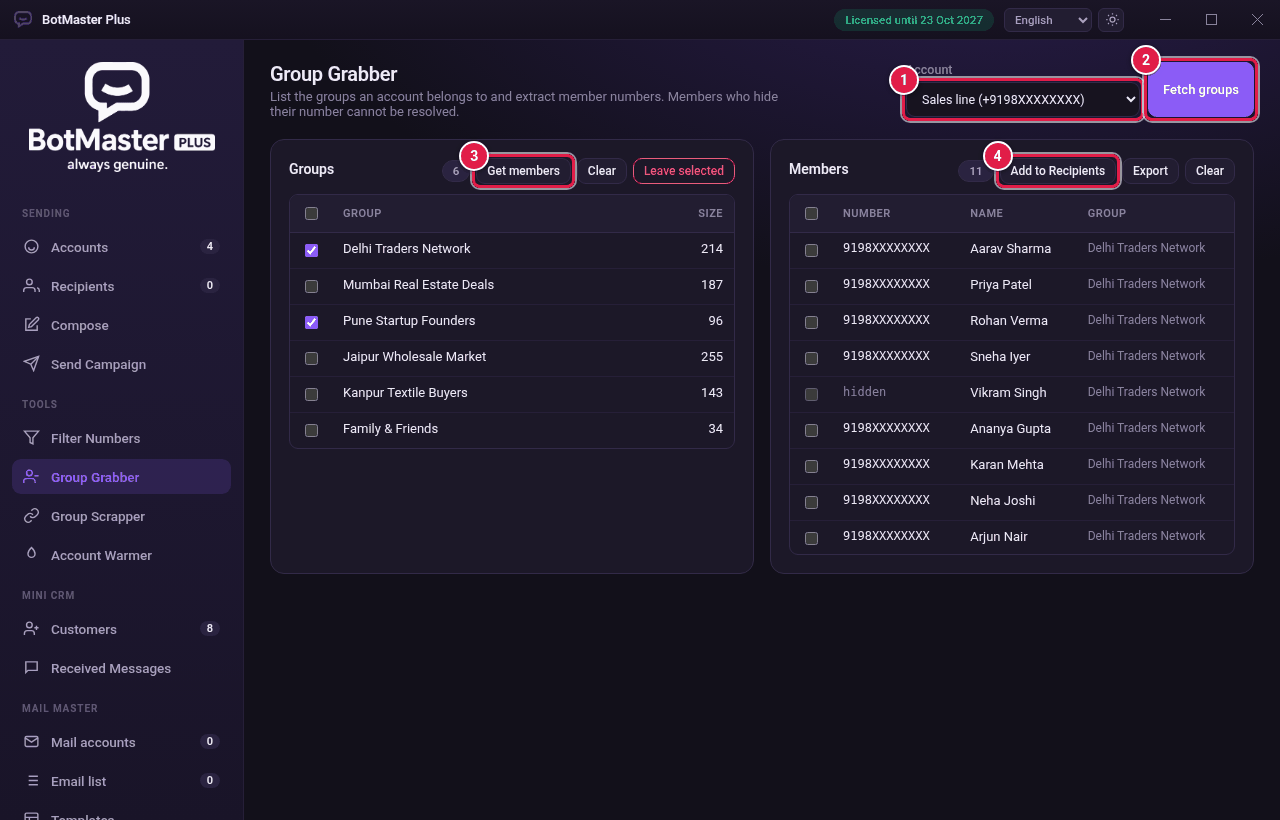
Fetch your groups
- Click Group Grabber in the left menu.
- In Account, choose a connected account.
- Click Fetch groups.

Get the members
- In Groups, tick the groups you want.
- Click Get members. The numbers appear under Members.
- Click Add to Recipients to add them to your recipient list.
Other buttons
- Export: save the members list as a file.
- Clear: empty the list.
- Leave selected: leave the ticked groups. You will need a new invite to join again.