
✉️ Mail Master
Build your email list
Load the email addresses your campaign goes to, and check them before sending.
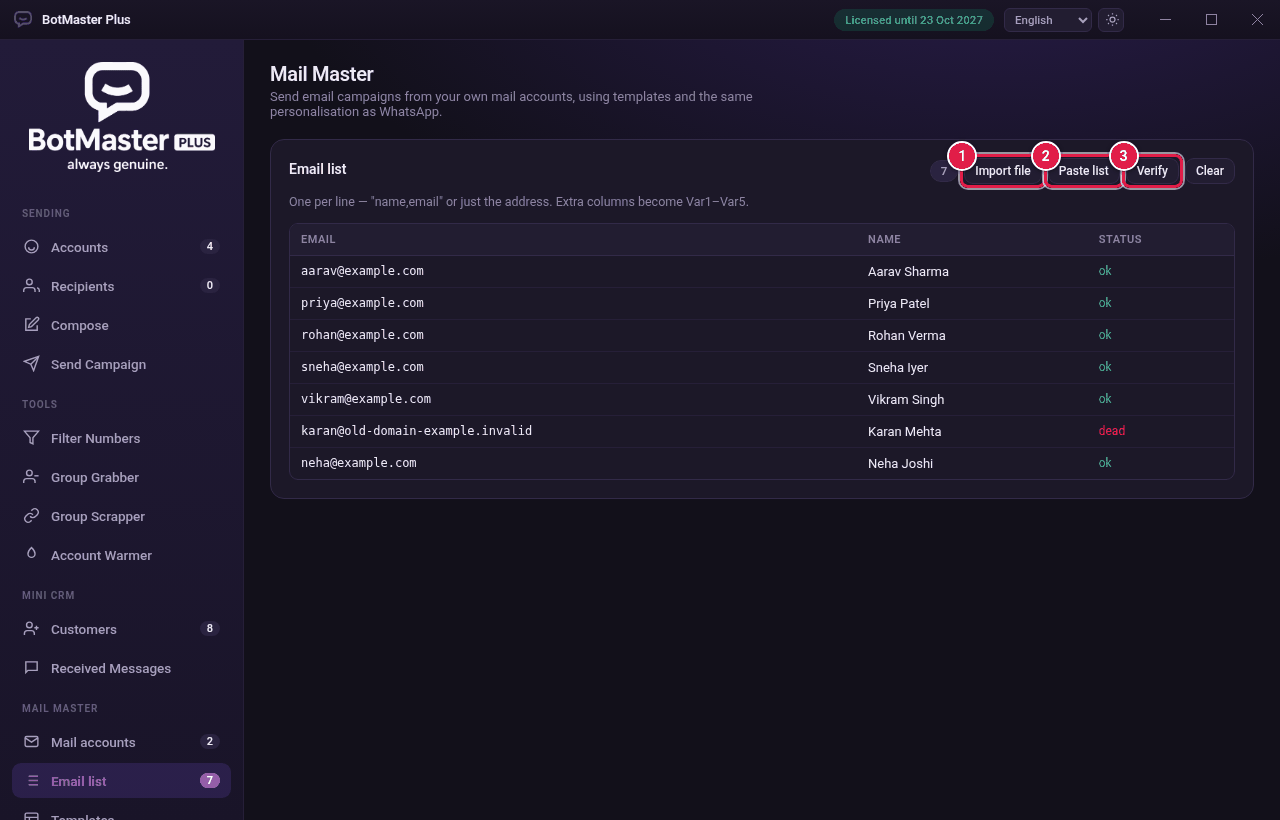
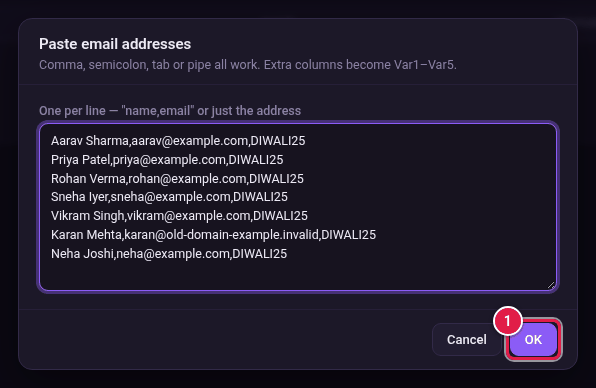
Add addresses
- Click Email list under Mail Master.
- Click Import file and choose a .txt or .csv file.
- Or click Paste list, paste your addresses and click OK.
Check the addresses
- Click Verify.
- Wait for the Status column. ok means the address can get mail. dead means the domain does not take email.
- Remove bad addresses from your file and import again, or click Clear to empty the list.