
💬 Customers & inbox
Read and answer received messages
Received Messages shows every message your accounts got while BotMaster Plus was running. You can read them and reply from here.
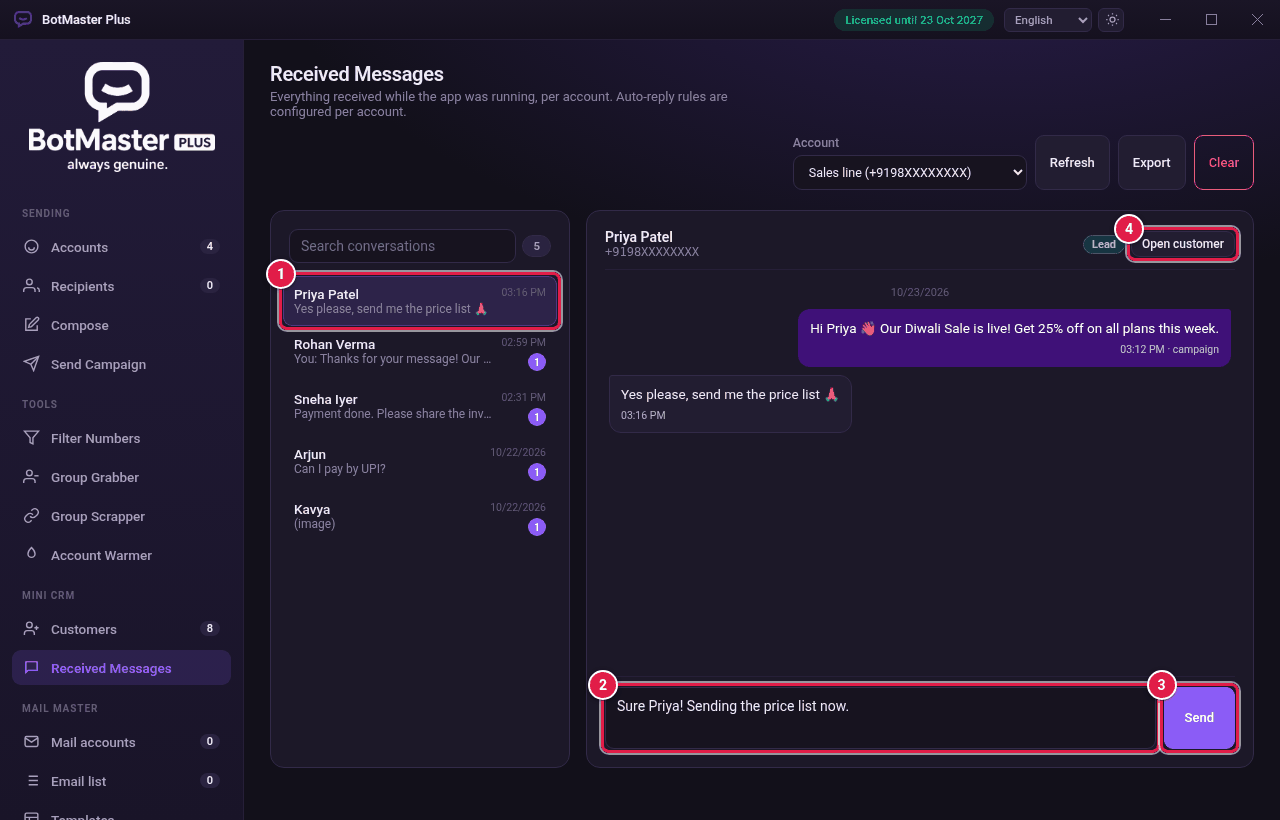
Read and reply
- Click Received Messages in the left menu.
- In Account, choose the account.
- Click a conversation on the left. Use Search conversations to find one.
- Type your reply in the box at the bottom.
- Click Send.
Link to your customer list
- If the person is in Customers, click Open customer to see their details.
- If not, click Add to CRM to add them.
Other buttons
| Button | What it does |
|---|---|
| Refresh | Loads the newest messages. |
| Export | Saves the messages as a file. |
| Clear | Deletes every stored conversation for this account. Messages on your phone are not touched. |