
🔗 WhatsApp accounts
Link a number with a pairing code
Can't scan the QR code? Link the number by typing an 8-character code into WhatsApp on your phone instead.
Ask for a pairing code
- On the account's card, click Connect.
- In the Link this account window, click Use a pairing code instead.
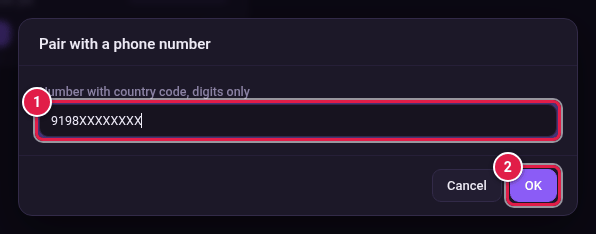
- Type the phone number with its country code, digits only. For example 9198XXXXXXXX for an Indian number (91 + your 10-digit mobile number).
- Click OK.
Type the code on your phone
- BotMaster Plus shows an 8-character code.
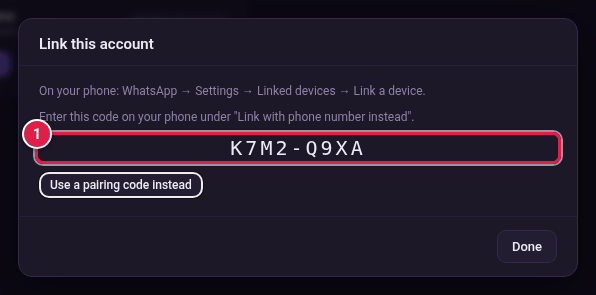
- On your phone, open WhatsApp.
- Tap Settings, then Linked devices, then Link a device.
- Tap Link with phone number instead.
- Type the code shown in BotMaster Plus.
- Wait for the card to show Connected, then click Done.